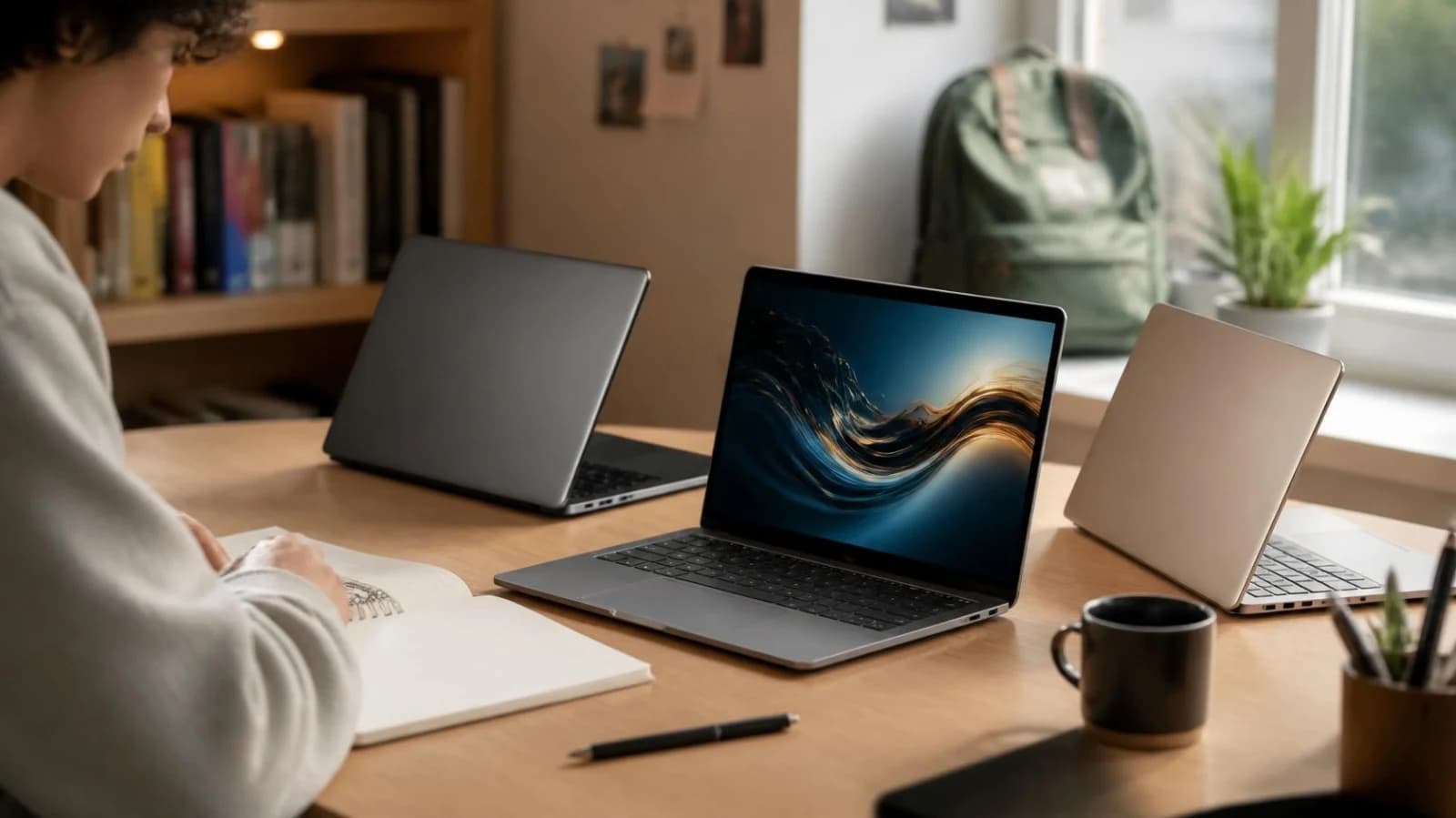
Best Laptop for Students in Australia in 2026
Choosing the best laptop for students depends on more than processor speed or brand reputation. Australian students need a computer that can handle lectures, research, video calls, Microsoft 365, course software and entertainment, while remaining portable enough to carry between home, campus, work and the library.
For many students, a reliable laptop with 16GB of RAM, a 512GB SSD, strong battery life and a current version of Windows or macOS is a sensible long-term choice. However, the right model will depend on your degree, budget, software requirements and how you plan to use the laptop.
Australian universities can have different hardware requirements depending on the course and faculty. Some recommend at least 8GB of RAM, while 16GB can provide more flexibility for multitasking. Some also recommend 512GB of storage, four-core or better processors, and USB-C connectivity for charging or external displays. Always check your university and faculty requirements before buying, such as Bond University's BYOL requirements and the University of Western Australia's online learning guidance.
Best laptop for uni students
The following laptop categories suit most Australian university workloads. Prices can change with promotions, education discounts and model updates, so treat the figures as practical guide prices rather than fixed quotes.
| Laptop type | Suitable for | Typical Australian price |
|---|---|---|
| 13 or 14-inch premium Ultrabook | Most degrees, research and commuting | A$1,200 to A$2,000 |
| MacBook Air | General study, writing, media and creative work | A$1,500 to A$2,500 |
| Business-class Windows laptop | Business, education, law and everyday study | A$1,000 to A$3,000 |
| Performance Windows laptop | IT, engineering and demanding applications | A$1,500 to A$3,000+ |
| Refurbished business laptop | Students with a tighter budget | A$200 to A$1,000 |
Best MacBook for students
For many students, the MacBook Air is a strong choice because it combines a lightweight design, quiet operation, long battery life and enough performance for everyday university work. The current MacBook Air is powered by Apple's M5 chip and starts with 16GB of unified memory, with 512GB storage available depending on the configuration. These specifications are suitable for common student tasks such as writing assignments, creating presentations, researching online, attending video calls and using web-based applications.
Students can choose between 13-inch and 15-inch models. The 13-inch version is easier to carry between home, campus and study sessions, while the 15-inch model provides a larger screen for split-screen work, spreadsheets and applications that benefit from more display space. Apple Australia's Education Store currently lists the MacBook Air from A$1,939 for the 13-inch model and from A$2,339 for the 15-inch model.
A MacBook can be particularly convenient for students who already use an iPhone or other Apple devices. Apple highlights features such as iCloud integration and easy transfer of files, photos, messages and other data between devices.
However, a MacBook is not automatically the best choice for every course. Before buying one, students should check the software requirements of their university or course. Some engineering, construction, accounting and technical programs may rely on Windows-specific applications, drivers or other software that could affect compatibility with macOS.
For students who need specialised Windows software, a Windows laptop may be the more practical option. The best choice should depend on the student's course requirements, budget and how the laptop will be used throughout university.
Best Windows laptop for students
For many students, a good Windows laptop is a 13 or 14-inch model with a modern Intel Core Ultra, AMD Ryzen or Qualcomm Snapdragon processor, 16GB of RAM and a 512GB SSD. Windows offers broad software compatibility and can be a practical choice for students whose courses require specialised Windows applications.
When choosing a Windows laptop, look for a comfortable keyboard, a sharp display, a 1080p webcam, Wi-Fi 6 or newer, USB-C charging and at least one USB-A port. Business-oriented ranges from brands such as Lenovo, Dell, HP and Microsoft can also offer features that are useful for students, including durable designs, comfortable keyboards and strong manufacturer support, although specifications and serviceability vary between models.
Windows 11's official minimum requirements are considerably lower than what students should look for when buying a laptop. Microsoft lists 4GB of RAM and 64GB of storage as the minimum requirements for Windows 11, but these specifications are intended to run the operating system, not to provide a comfortable experience throughout several years of university study. A laptop with 16GB of RAM and a 512GB SSD is a more practical starting point for most students. Microsoft's Windows 11 specifications provide the official minimum requirements.
Students considering a Snapdragon-based Windows laptop should also check whether the software required for their course is fully compatible with Windows on ARM. This is particularly important for specialised technical, engineering or other professional applications.
Best budget laptop for students
The best budget laptop for students is not necessarily the cheapest laptop available. Very low-cost models may have limited storage, slow performance, basic displays and shorter battery life. Spending slightly more on a dependable laptop can provide better value over several years of study, while a properly tested refurbished business laptop can offer stronger hardware for a lower price than buying new.
For a new budget laptop, aim for:
- 8GB of RAM at minimum, with 16GB preferred
- 256GB SSD at minimum, with 512GB preferred
- A recent entry-level Intel Core or Core 3, AMD Ryzen 3, or equivalent processor
- A Full HD display
- Good real-world battery life
- Wi-Fi 6 or newer
- USB-C connectivity
- A usable webcam
As a general Australian market guide, expect to spend around A$800 to A$1,200 for a capable new everyday student laptop. Australian consumer testing indicates that basic laptops can start at around A$800, while faster and more suitable models generally cost more. CHOICE's student laptop guide provides current guidance on what to consider when comparing models.
Chromebooks can work well for browser-based study, Google Workspace and basic schoolwork. However, they may be less suitable for courses that require full desktop applications such as Microsoft Office, Adobe software, programming environments or specialist engineering applications.
Students working with a limited budget should also compare refurbished laptops rather than looking only at new models. A refurbished business laptop may offer a better processor, more RAM, higher-quality construction or additional features for the same budget. Check the laptop's condition, specifications, battery health and warranty before buying.
If you are comparing models within a fixed budget, browse the DV Computers laptop shop and compare the processor, RAM, SSD capacity, condition and warranty rather than focusing only on the advertised brand.
Course-specific recommendations
Different degrees place different demands on a laptop. Before enrolling, check the course handbook and faculty website for required applications.
Best laptop for IT students
The best laptop for IT students needs enough performance to handle programming, development tools, virtual machines and other demanding software. For most IT students, 16GB of RAM and a 512GB SSD are a sensible starting point, paired with a modern processor that provides strong multi-core performance.
Students who regularly use virtual machines, Docker containers, local databases, Android Studio or several development environments at the same time should consider stepping up to 32GB of RAM and a 1TB SSD. These upgrades can make a noticeable difference when running multiple applications or working with larger development projects.
Windows is often a practical choice because of its broad software compatibility, while macOS can be an excellent option for programming, web development and Unix-based development tools. However, students studying cybersecurity, systems administration or networking should check their course requirements before choosing an operating system. Some subjects may rely on specific virtualisation software, Windows Server tools or hardware that works better with Windows.
A good laptop for IT students should also have:
- Strong multi-core processor performance
- Reliable cooling for longer development sessions
- At least one USB-C and one USB-A port
- A comfortable keyboard for extended coding
- Fast SSD storage
- Upgradeable or serviceable memory and storage where possible
For IT students, upgradeability can be particularly valuable. Being able to increase RAM or storage later can extend the useful life of a laptop as projects and software requirements become more demanding.
Best laptop for engineering students
The best laptop for engineering students depends heavily on the discipline and software used in the course. Civil, mechanical and architectural students may work with demanding CAD, 3D modelling and simulation applications. These courses can benefit from a Windows laptop with 16GB or 32GB of RAM, a fast processor, at least 512GB of SSD storage and, where required, a dedicated NVIDIA graphics card.
Electrical, software and some mathematical engineering students may place greater emphasis on CPU performance and memory rather than high-end graphics. Before buying, check the software requirements for your course, particularly if you expect to use applications such as SolidWorks, Revit, AutoCAD, MATLAB or specialist simulation programs.
For engineering students, prioritise performance, cooling and reliability rather than choosing the thinnest laptop available. A 14-inch performance laptop can provide a useful balance between portability and processing power, while a 15 or 16-inch model offers more screen space for CAD drawings, simulations and split-screen work but adds weight to a backpack.
If your course involves 3D modelling, rendering or other GPU-intensive workloads, check the recommended graphics specifications for the software before choosing a laptop. A dedicated GPU may be worthwhile for some engineering disciplines but unnecessary for others.
Best laptop for nursing students
The best laptop for nursing students should be lightweight, dependable and easy to use for research, online learning, assessments and placement preparation. For most students, a 13 or 14-inch laptop with 16GB of RAM, a 512GB SSD and a good-quality webcam should provide enough performance for everyday study.
Nursing students should pay particular attention to battery life, keyboard comfort, screen readability and portability. You may move between lectures, clinical placement, public transport and home, so a durable laptop that is comfortable to carry can be more useful than a larger, heavier performance model. A laptop weighing around 1.2kg to 1.6kg can be a practical target, although build quality and battery life are also important.
Before buying, check whether your institution requires specific software or platforms for online assessments, electronic textbooks, video conferencing, secure browsers or other coursework. Windows may be preferable if your course requires applications that are not available on macOS.
Privacy and security are also important for nursing students. Use a strong password, keep the operating system and applications updated, enable full-disk encryption where available, and follow your institution's policies for handling sensitive information. Never store confidential patient information on a personal laptop unless your institution specifically authorises it and provides appropriate security procedures.
What to look for
Processor
Choose a current mid-range processor rather than an older high-end chip. Everyday students can use Intel Core Ultra 5, AMD Ryzen 5, Apple silicon or equivalent processors. IT, engineering and creative students should consider higher-tier chips if they regularly compile code, render media or run simulations.
RAM
8GB is workable for basic documents and browsing, but 16GB is the sensible standard in 2026. Choose 32GB if you use virtual machines, large creative projects, advanced data analysis or engineering software.
Storage
A 512GB SSD is a good starting point. It provides room for applications, course files, photographs and offline resources without relying entirely on cloud storage. Avoid a traditional hard drive as the main system drive.
Battery and portability
A manufacturer's battery estimate is not the same as real-world use. Video calls, high screen brightness and demanding applications reduce battery life. Aim for a laptop that can realistically last through several lectures and study sessions.
Some Australian institutions recommend six hours or more for intensive study, while other guidance suggests ten hours as an ideal target where charging is limited.
Display and webcam
A Full HD display is the minimum worth considering. An aspect ratio such as 16:10 provides extra vertical space for documents and websites. A 1080p webcam is useful for online tutorials and group meetings.
Ports and connectivity
USB-C is increasingly important for charging, docks and external monitors. Also consider USB-A for older accessories, HDMI for presentations, a headphone jack and Wi-Fi 6 or newer.
Warranty and support
A laptop used every day for three or four years should have dependable warranty support. Check the warranty length, repair process and availability of replacement chargers before purchasing.
New vs refurbished laptops
A new laptop provides the latest processor, full battery capacity and the longest expected software-support period. It is usually the better option if you need maximum battery life or specialist performance.
A refurbished laptop can offer significantly better build quality for less money. A refurbished business model may provide a stronger keyboard, better ports and a more durable chassis than a new entry-level laptop at the same price.
When buying refurbished, ask about:
- Battery health and expected battery life.
- Warranty duration.
- Cosmetic condition.
- Whether Windows is activated legitimately.
- SSD health and storage capacity.
- Included charger and Australian electrical compliance.
- Return and repair policies.
A two- or three-year-old business laptop with 16GB of RAM and a 512GB SSD can be an excellent choice for writing, research, business, nursing and general university study. For demanding engineering or IT work, make sure the processor, graphics and upgrade options meet the course requirements.
FAQ
Is 8GB of RAM enough for university?
8GB of RAM can be enough for basic university work such as web browsing, documents, research and video calls. However, 16GB is a better choice for most students because it provides more room for multitasking and can remain useful for longer as software requirements increase.
Is a MacBook suitable for every course?
No. MacBooks are suitable for many university courses, particularly general study, programming, web development and creative work. However, some engineering, accounting, construction and technical courses may require Windows-only software. Check your course and faculty requirements before choosing macOS.
How much should a student spend on a laptop?
A practical budget for a general-purpose student laptop is around A$800 to A$1,500, although prices vary by brand, specifications and retailer. Students studying engineering, IT, design or video production may need to spend A$1,500 to A$3,000 or more if their course requires higher processing or graphics performance.
Should students buy a gaming laptop?
Only if the additional graphics and processing performance is genuinely useful for your course or other needs. Gaming laptops can offer excellent performance, but they are often heavier and may have shorter battery life than thin-and-light laptops. For general university work, a lighter laptop is usually more practical.
Is a refurbished laptop safe to buy?
A refurbished laptop can be a good option for students on a budget, provided it comes from a reputable seller. Check the laptop's condition, battery health, specifications, operating system and warranty before buying. A properly tested refurbished business laptop can provide useful performance and build quality without the cost of buying new.
Students comparing lower-cost options can also browse the refurbished laptop range for available models and specifications.
What size laptop is best for university?
A 13 or 14-inch laptop offers a good balance between screen space and portability for most students. A 15 or 16-inch model can be a better choice if you need more workspace for spreadsheets, design applications, CAD or other demanding coursework and do not mind the additional size and weight.
Conclusion
The best laptop for university students is one that matches their course, software requirements and budget rather than simply having the highest specifications. For many Australian students, a 13 or 14-inch Windows laptop or MacBook Air with 16GB of RAM, a 512GB SSD, a comfortable keyboard, good battery life and long-term software support is a practical starting point.
Before purchasing, check your course and faculty requirements, particularly if you study engineering, IT, architecture, health sciences or design. The software you need can have a bigger impact on your laptop choice than the brand or appearance of the device.
If you're comparing new and refurbished laptops and aren't sure which specifications are right for your course, the DV Computers team can help you compare your options based on your study requirements and budget.